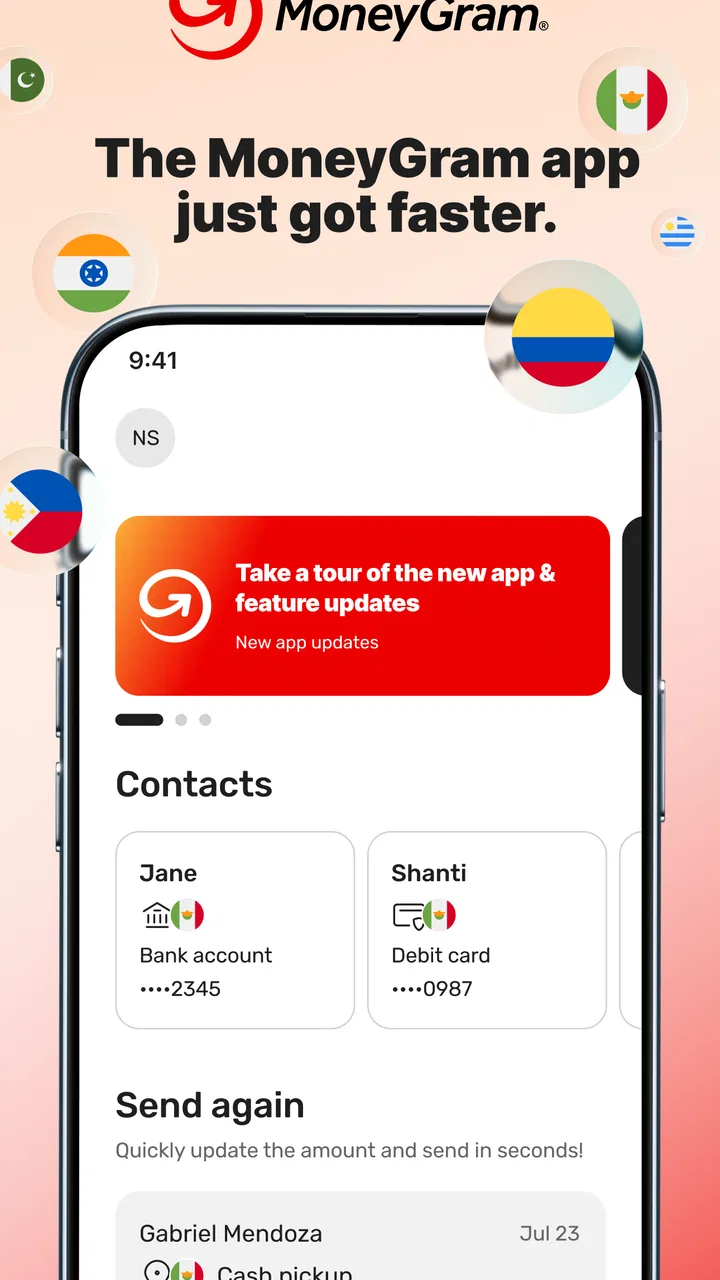
MoneyGram® Money Transfers App
- 4.6
- Rating
- 5.00M
- Installs
- Free
- Price

 Analysis by App-foxy
Sending money abroad can feel more complicated than it should, especially when you are trying to help family, pay someone in another country, or move funds while travelling. I found MoneyGram® Money Transfers App most useful when I treated it as a practical transfer tool rather than a complete banking replacement. It brings the MoneyGram service to a phone, giving me a clearer way to begin an international money transfer online and follow the steps from one place.
The app is free to download and is made by MGI. It belongs in the finance category, has an Everyone age rating, and has been available since May 13, 2014. Its current version is 26.3.4, and it works on Android 8.0 or later. Those details matter to a first-time user because this is not a brand-new experiment with an unfamiliar service; it is an established app with a long presence on mobile devices.
Its public reception is also strong, with a 4.6 average from around 124 thousand ratings and more than 5 million installs. I would not use those figures as a guarantee that every transfer will feel effortless, but they do suggest that the app has become a familiar option for people who regularly send money internationally. My overall view is positive, with one important condition: you still need to read the transfer details carefully before confirming anything.
You May Also Like

 Blood Strike: 2.5 Anniversary
Blood Strike’s Loadouts Turn Every Drop Into a Tactical Gamble
A close look at Blood Strike’s custom loadouts: how fast access to signature weapons reshapes its battle royale rhythm, rewards preparation, and narrows the gap between fights.

 Pandora - Music & Podcasts
Pandora’s Music Is Easy to Start, but Harder to Recover
Pandora’s strength is its low-effort path from a seed to a station. Its weak spot is how much confidence it asks you to place in connection, setup, and quiet recovery.

 8 Ball Pool
 Is Built on Rivalries, Rematches, and Routine
A close look at the rivalries, rematches, shared routines, and unanswered safety questions that turn a quick pool match into a persistent mobile community.

 Samsung Music
’s Quiet Strength Is Playing What You Already Own
Its reach comes less from spectacle than from dependable access to a personal library. That simplicity is both the app’s strongest retention engine and its ceiling.

 AccuWeather: Weather Radar
AccuWeather Review: A Quick, Clear Forecast for Everyday Decisions
For everyday plans, the best forecast is the one you can understand quickly. AccuWeather makes rain timing, radar, and local conditions easy to act on, with a few trade-offs.

 Hill Climb Racing
Why Hill Climb Racing Still Turns Crashes Into One More Run
A tiny car, a bumpy hill and one more upgrade: Hill Climb Racing keeps resurfacing because its simple chaos makes every near-miss feel personal.
More From Our News Desk



What to expect before sending money
The first thing I would explain to a friend is that the app does not remove the practical decisions involved in a transfer. You still need to know who is receiving the money, which country is involved, how much you want to send, and whether the recipient needs funds delivered in a particular way. The phone interface can organize the process, but it cannot make an uncertain recipient or incomplete information safe.
That is why I recommend opening the app before an urgent situation arises. Spend a few minutes becoming familiar with the starting screen and the transfer flow while you are calm. In my experience, this makes a real difference when a relative is waiting for help and you do not want to make choices quickly just because the request feels urgent.
The app is aimed at international money transfers, not everyday spending, budgeting, investing, or bill management. If your goal is to monitor a bank account, categorize expenses, or build a savings plan, a banking or budgeting app will suit you better. MoneyGram is more focused: it is for moving money to another person or destination through the MoneyGram service.
A realistic example is sending support to a family member overseas. I would first confirm the recipient’s legal name exactly as it should appear, check the destination country, and decide how much the recipient needs to receive rather than thinking only about the amount leaving my side. That small change in perspective helps prevent a common mistake: focusing on the sender’s amount while overlooking what the other person will actually collect.
I also would not assume that the cheapest-looking option is automatically the best one. A transfer involves more than the headline amount. The recipient’s currency, the delivery method, the timing, and any displayed charges can all affect the final result. The app is useful because it puts these choices into the transfer journey, but I still have to compare them thoughtfully.
Who will appreciate this app most
I think it is a good fit for people who send money to the same country repeatedly, travellers who need a recognized transfer route, and families supporting relatives in another region. Once the basic process becomes familiar, using a phone can feel less intimidating than starting from scratch at a physical location each time.
It can also help someone who wants to prepare a transfer outside a busy schedule. I prefer reviewing the recipient details and amount on my own screen before I commit, rather than trying to remember everything while standing somewhere unfamiliar. That private preparation is a quiet strength of the mobile format.
On the other hand, I would hesitate to recommend it to someone who is uncomfortable checking financial details on a phone or who expects every transfer to work identically in every country. International money movement is affected by local requirements and recipient circumstances. If you need personal guidance for a complicated transaction, speaking with a service representative or visiting a physical location may be more reassuring.
What the first launch feels like
For a first-time user, the important task is not exploring every screen. It is identifying the path from opening the app to creating a transfer. I would keep the recipient’s information nearby, make sure I know the destination country, and avoid beginning with a rushed transfer where a mistake would cause stress.
The app’s free price makes trying the interface low-risk from a download perspective, but “free app” does not mean that every money transfer is free. I would always inspect the amount and any applicable cost shown during the transaction before approving it. This is one of the most important distinctions for new users: the download costs nothing, while the transfer itself must be reviewed on its own terms.
Before entering sensitive information, I would also check that I installed the genuine app associated with MGI and that my phone is running Android 8.0 or newer. Keeping the operating system and app current is sensible for any finance tool, particularly one used for personal and payment-related information.
Setting up a first transfer without rushing
The setup is easier when I prepare the information first. I would write down the recipient’s name exactly, confirm the destination country, and decide whether the person needs the money for immediate collection or another available delivery arrangement. Even if the app presents the choices clearly, the quality of the result depends on the accuracy of what I enter.
One useful habit is to separate “who is receiving” from “how much I want to send.” I first verify the person, then review the amount and currency. Doing both at the same time encourages mental shortcuts, especially when the recipient’s currency is different from my own. A quick pause between those decisions makes the review more deliberate.
When creating an account or signing in, I would use details that I can access reliably and avoid setting the process up on a shared phone unless I understand how the device handles account access. A finance app deserves the same care as a banking app: use a screen lock, avoid sharing verification information, and do not let an urgent message push me into ignoring basic security.
The app’s age rating is Everyone, which describes its store classification rather than the complexity of sending money. A child-friendly rating should not be confused with a casual-use rating. Money transfers still involve adult financial responsibility, identity details, and the possibility of sending funds to the wrong person.
How I would prepare the recipient
Before sending, I would message the recipient separately and ask them to confirm their name, country, and preferred way to receive the money. I would not rely on a name copied from an old conversation if the recipient has recently changed documents or is using a different form of identification. This is a practical step that the app cannot perform for me.
I would also tell the recipient when I expect the transfer to be ready, while avoiding promises that are more precise than the app’s own information. Timing can depend on the selected route and the recipient’s ability to complete any required collection steps. Clear expectations reduce the chance that the recipient travels somewhere unnecessarily or assumes the money is available before it is.
For repeated transfers, I would keep a private record of the recipient’s correct details and the reason for each payment. I would still compare every new transfer against that record instead of blindly repeating the previous one. This balances convenience with caution: saved familiarity can speed things up, but it can also hide an outdated mistake.
The details worth checking twice
My most important review point is the final summary. I look at the sender amount, the recipient amount, the currencies, the destination, the recipient’s name, and the displayed costs. I do not treat the first estimate as the final answer. If the amount changes after I select a different option, I stop and work out whether the change is caused by the currency conversion, the transfer route, or a fee.
This is also where the app compares favorably with informal alternatives. Sending cash through an unstructured arrangement may seem simpler, but it gives me less organized information to review. A bank transfer may be preferable for someone who already has a reliable international banking route, especially for large or recurring payments. MoneyGram is more appealing when the recipient needs a dedicated remittance service and the sender wants a guided mobile process.
Completing the first meaningful action
The first successful action should be a carefully reviewed transfer, not merely creating an account. I would begin with a modest, non-urgent amount if the situation allows, because that gives both sides a chance to understand the process. It lets me confirm that the recipient’s details are correct and that the chosen delivery arrangement suits the person receiving the funds.
Once the transfer details look right, I would follow the app’s instructions through confirmation and keep the resulting reference or transaction information in a secure place. I would share only what the recipient genuinely needs. Sending every piece of account or security information in a chat creates unnecessary risk, even when the recipient is someone I trust.
A useful workflow is to take a moment after confirmation and record three things privately: the date, the amount sent, and the intended recipient. I would not use a public note or an unprotected screenshot for this. The point is to create a simple personal trail so I can recognize the transaction later without exposing sensitive details.
For the family-support example, I would then contact the recipient and explain that the transfer has been initiated, along with the safe reference details needed for collection if the app provides them. I would ask the recipient to verify the information through the appropriate MoneyGram process rather than forwarding a screenshot containing unrelated personal data.
What to do if the recipient is not ready
If the recipient cannot collect or receive the money immediately, I would not create a second transfer just because the first one feels uncertain. I would first review the transaction status and contact the recipient. Duplicate transfers are an avoidable danger when someone assumes the first attempt failed without checking.
The app is helpful as a central place to begin and manage the transfer journey, but it is not a substitute for communication between sender and recipient. I still need to tell the other person what to expect and confirm that they understand the collection or delivery instructions. That is especially important when the recipient is older, unfamiliar with mobile services, or living in a place where access is less convenient.
If I made a spelling error or selected the wrong destination, I would stop rather than trying to solve it by sending another payment. The right next step depends on the transaction’s state and the service instructions shown in the app. This is one of the situations where speed is less valuable than getting official help through the available support route.
Why the confirmation screen matters
Many users skim confirmation screens because they are eager to finish. I think that is the wrong moment to hurry. The confirmation is where a small misunderstanding becomes a real financial action. I read it as if I were checking a parcel label: the right person, the right destination, the right amount, and the right delivery choice.
Another non-obvious tip is to compare the recipient’s expected amount with what they told me they need. If there is a meaningful difference, I investigate before confirming instead of assuming the recipient will understand. This simple check catches confusion caused by currency conversion and helps me avoid making the recipient absorb a shortfall I did not intend.
Common confusion and everyday friction
The biggest source of confusion is usually the difference between the amount sent and the amount received. Those figures may use different currencies, so a sender can look at the first number and assume the recipient will get an equivalent value. I would always judge the transfer from the recipient’s side as well as my own.
Another point of friction is delivery expectations. “Sent” does not necessarily mean “already collected” or “already available in the recipient’s hands.” I would explain this distinction to anyone I am helping, particularly if they need to travel to receive the money. The app can show the transfer process, but the recipient may still have their own steps to complete.
Users may also wonder whether the app is suitable for every country or every kind of payment. I would treat the destination and delivery choices shown for the specific transfer as the practical answer. Rather than assuming that a route I used before is available again, I would check the current options each time. That approach avoids carrying old assumptions into a new transaction.
People often ask whether the app is better than visiting a MoneyGram location. For me, the app is better when I want to prepare the transfer privately, review the details on my own time, and avoid unnecessary travel. A physical location may be better when I need face-to-face assistance, have difficulty entering information on a phone, or want help understanding the process before committing.
It is also fair to ask whether it is better than a bank transfer. My answer depends on the recipient. A bank route may be preferable for someone with a suitable account and a need for regular account-to-account payments. MoneyGram makes more sense when a remittance service fits the recipient’s situation, particularly if the person is expecting a supported collection or delivery method rather than a conventional bank deposit.
Security habits I would not skip
I would never send money because of a message claiming to be urgent without verifying the recipient through a separate conversation. The app can process a legitimate instruction, but it cannot determine whether the person asking for money is being truthful. That judgment remains mine.
I would also avoid sharing passwords, one-time verification codes, or complete screenshots. If a recipient needs a reference for collection, I would share only the relevant information after confirming that the transfer is real. Keeping the app on a personal, locked device is another straightforward precaution.
Finally, I would check the recipient’s details every time, even for someone I have paid before. Repetition creates overconfidence. A familiar name can make me skip the exact review that protects the transaction, so I deliberately slow down at the final screen.
When I would choose something else
I would skip this app if my main need were household budgeting, investment tracking, card management, or domestic bill payment. Its focus is sending money internationally, and using it for unrelated financial tasks would only create extra work. I would also look elsewhere if the recipient specifically needs a bank deposit through a route that MoneyGram does not present for that transaction.
I would be cautious about using it for a high-value transfer without first understanding every displayed detail and the recipient’s ability to receive the funds. For a complex business payment, a bank or specialist service with documentation designed for that purpose may be more appropriate. The app is strongest when the transfer is personal, clearly understood, and supported by accurate recipient information.
My next-step advice after the first transfer
After completing the first transfer, I would not immediately assume that every future payment will be identical. I would keep the app updated, review the available choices again, and maintain a simple private record of successful recipient details. This creates a repeatable routine without turning convenience into autopilot.
If I send money monthly, I would set a personal checklist: confirm the recipient directly, verify the country, compare the amount received, inspect the displayed cost, and save the transaction reference securely. It takes little time, yet it protects against the most likely errors. The checklist is more valuable than memorizing the interface because screens and options can change between transfers.
I would also ask the recipient for practical feedback after the first successful collection or delivery. Did they understand the instructions? Was the chosen method convenient? Did the amount they received match expectations? Their answer helps me choose more intelligently next time instead of judging the whole experience only from the sender’s screen.
MoneyGram® Money Transfers App has earned its place as a useful finance app because it gives international remittances a straightforward mobile starting point. I like it most when I prepare carefully, use it for a clearly defined recipient, and treat the final review as essential rather than optional. Its free download, Everyone rating, and broad adoption make it approachable, while its focused purpose keeps the experience from becoming cluttered with unrelated financial tools.
My recommendation is simple: use it when you need a recognized way to arrange an international money transfer and you value handling the process from your phone. Do not use it as a substitute for checking identities, comparing the recipient’s expected amount, or understanding the delivery steps. The best result comes from combining the app’s guided workflow with your own careful verification.
FAQs for MoneyGram® Money Transfers App
01What features does the MoneyGram® Money Transfers App offer?
The MoneyGram® Money Transfers App allows users to send money worldwide quickly and securely. It offers features such as tracking transfers, finding MoneyGram locations, and managing your payment methods. The app also provides real-time exchange rates and notifications to keep you updated on your transactions.
02How secure is the MoneyGram® Money Transfers App?
Security is a top priority for the MoneyGram® Money Transfers App. It uses advanced encryption and security protocols to protect your personal and financial information. Additionally, the app offers two-factor authentication for added security, ensuring that your money transfers are safe and secure.
03Are there any fees associated with using the MoneyGram® App?
Yes, there are fees associated with transferring money through the MoneyGram® App. The fees depend on the amount being sent, the destination, and the payment method used. It’s recommended to check the app for specific fee details before proceeding with any transaction to ensure transparency.
04Can I track my money transfers using the app?
Absolutely. The MoneyGram® Money Transfers App provides a tracking feature that allows you to monitor the status of your transfers in real time. You can see when the money is sent, when it's received, and any other pertinent updates, providing peace of mind throughout the process.
05Is the MoneyGram® Money Transfers App available in all countries?
While the MoneyGram® Money Transfers App supports transfers to a large number of countries, availability may vary depending on the region. It’s advisable to check the app or the MoneyGram website for a list of supported countries and regions to ensure that you can send or receive money to your desired destination.
Pros
- User-friendly interface simplifies transactions.
- Fast transfer speeds for urgent needs.
- Low fees compared to competitors.
- Wide global network for accessibility.
- Real-time tracking for peace of mind.
Cons
- Limited currency options for transfers.
- Requires internet for all functionalities.
- Account setup can be time-consuming.
- Customer support response can be slow.
- Occasional app crashes reported by users.

MoneyGram® Money Transfers App
Gallery